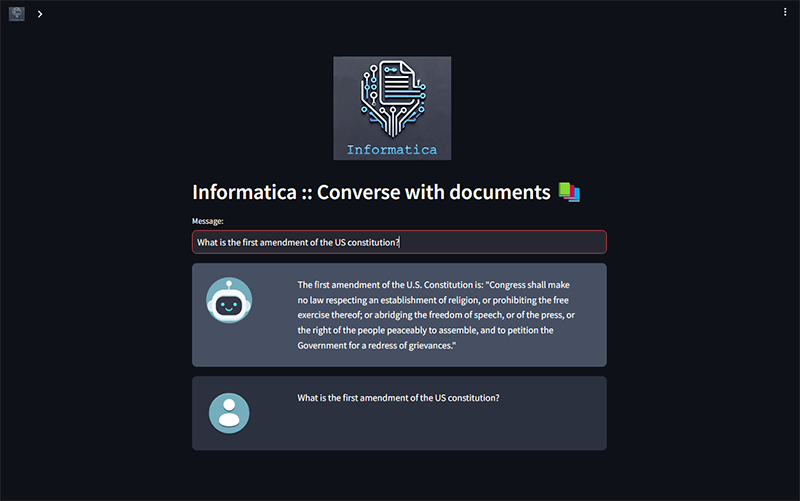
Informatica :: Converse with your documents
My wife often works with numerous documents, especially legal texts and legislation. One day, she mentioned how helpful it would be to have a system that could process PDFs and allow her to easily search for the right information using natural language. This idea resonated with me, and given my interest in technology, I saw an opportunity to create something meaningful.
I was already familiar with Retrieval Augmented Generation (RAG) frameworks and LLM-powered systems, so I thought this would be an ideal home project. I expected the challenge to be significant, but with the maturity of today’s frameworks and tools, it turned out to be more achievable than I initially thought. It felt like the perfect excuse to upgrade my home server setup and put my knowledge to the test.
This project gave me the push I needed to expand my infrastructure beyond just a Raspberry Pi. The task required more computational power, and I found a solution that worked beautifully.
Meet "Kottos," my home server
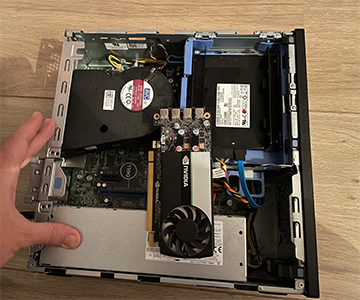
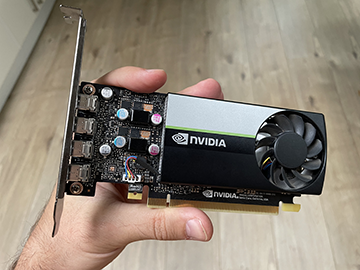
To support this project, I bought a second-hand Dell Optiplex with solid specs for a modest price: a 6-core Intel Core i5 8500, 16GB of DDR4 RAM, and a 512GB SSD, all for just over 100 bucks. Knowing that I would need GPU acceleration for the AI workloads, I also added a compact, low-profile Nvidia T600 with 4GB of VRAM that I also got second-hand for cheap.
This setup is surprisingly quiet and compact. I created a Kubernetes cluster, using my Raspberry Pi as the control plane and adding "Kottos" as the main worker node. The Raspberry Pi now mainly handles the web server, while Kottos handles the heavier AI and data processing tasks.
About the Project
Informatica is a chatbot designed to "talk to your documents." It leverages a large language model (LLM) to understand natural language queries and uses a vector database to store and retrieve information efficiently.
For the LLM, I chose Ollama framework with the Mistral 7B model. It strikes the right balance between capability and lightweight performance, making it an ideal choice for my needs. For embeddings, I use nomic-embed-text, a model that has consistently delivered solid performance. The project uses Weaviate as its vector database, which I’ve worked with before and found to be very fast.
All these components are orchestrated with the Langchain Python framework, and the user interface is powered by Streamlit, making the application not only functional but also easy to interact with.
How does it work?
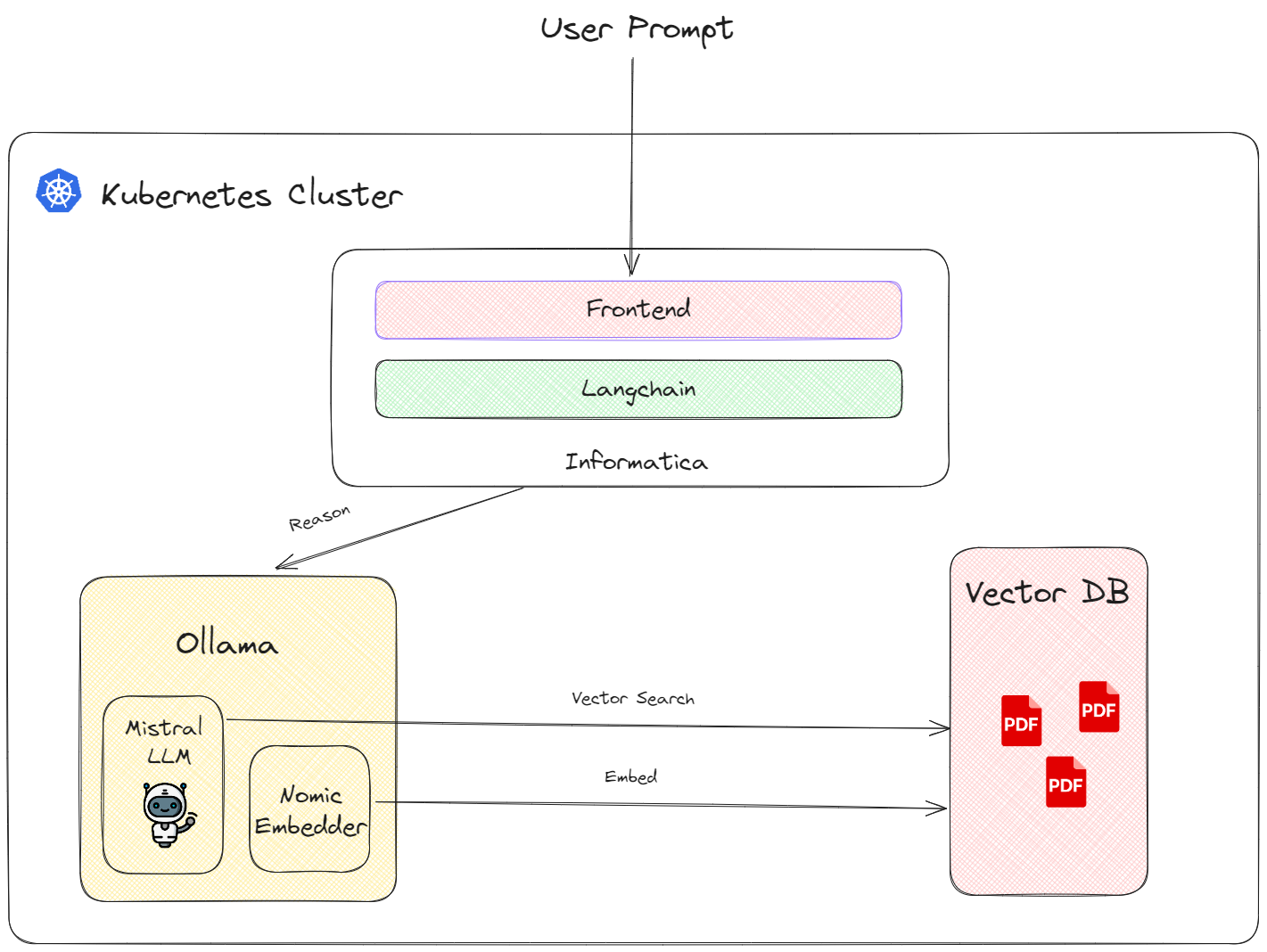
First it gets the PDF document(s) and it extracts all the text from them. Then it chops the big text into slices of 1000 characters and transforms them into "embeddings", which are actually vectors of numbers that the AI can understand, and compare its relationship with other vectors. To make sure that we don't chop in the middle of a word or a sentence, we also give it 100 characters overlap buffer.
It adds the names of the PDF documents they came from in the embeddings metadata, and stores them in the vector database. The LLM client is initialized and pointed to the database on application start.
When a user inputs a query, that text is also embedded and is sent to the LLM to process. The LLM response comes back in the form of json and because it can take a while for it to form its entire response, we tell it to send it piece by piece. Using a callback, we can display the messages the model is sending back as soon as they arrive. Because the server is quite low powered, it can be quite slow to respond, so anything that makes the perceived response time better is welcome.
You can find the source code here and play around with it here.